

Slow Wi-Fi speeds, dead signal zones, and weak wireless reception in bedrooms, basements or backyards are rarely caused by cheap routers or slow internet plans. In over 70% of households, poor router positioning is the core culprit of uneven coverage. Walls, metal furniture, household appliances, low mounting height and corner placement all block radio waves and shrink your Wi-Fi range drastically.
This comprehensive layout-based guide breaks down universal placement rules, forbidden locations, and ideal mounting positions for single-story apartments, two-story homes, open-concept houses, and basement-equipped residences. After repositioning your router following these rules, you will eliminate Wi-Fi dead spots and get consistent strong signal in every room without buying extra mesh extenders.
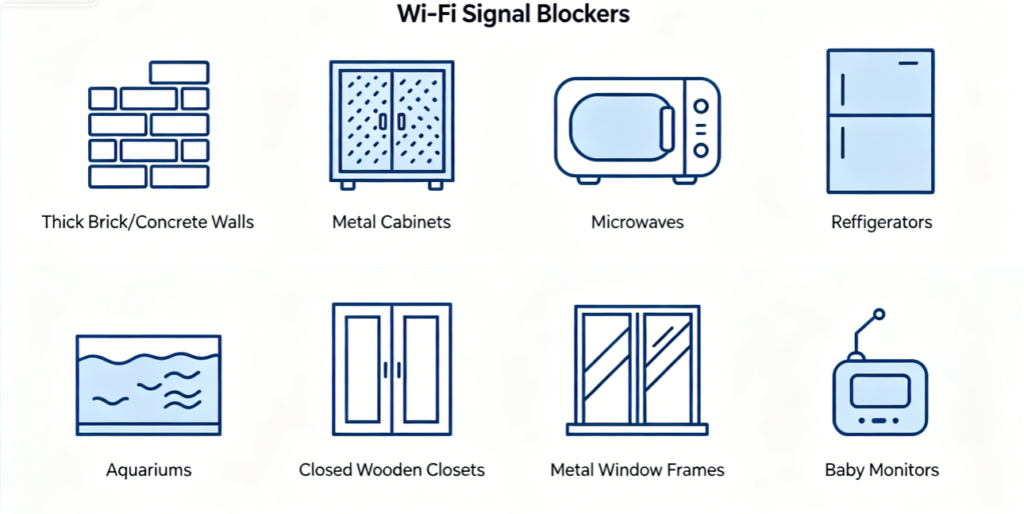
Before picking a router spot, learn which items absorb or reflect Wi-Fi waves and avoid them at all costs:
- Thick concrete, brick or tile walls: Heavy building materials drastically attenuate 5GHz Wi-Fi signals
- All metal objects: Fridges, metal shelving, radiators, steel window frames reflect wireless signals away
- Water-filled items: Fish tanks, large aquariums absorb radio waves completely
- Interference electronics: Microwaves, Bluetooth speakers, wireless cameras generate competing 2.4GHz frequency noise
- Enclosed storage spaces: Cabinets, closets, basement cupboards trap heat and block signal spread
Any router placed within 2–3 meters of these obstacles will suffer obvious coverage loss.
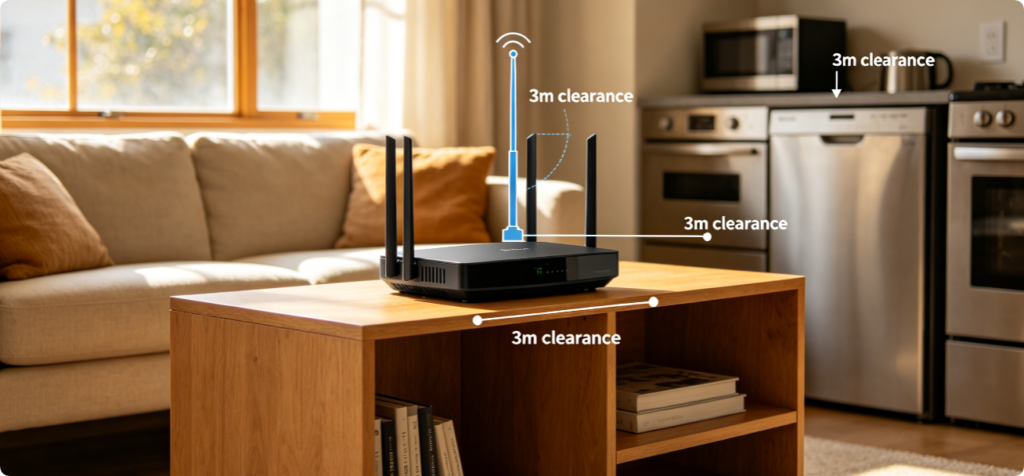
These non-negotiable rules apply to every home layout:
- Center of the house geometrically: Place the router at the horizontal midpoint of your living space to spread signals evenly in all directions
- Elevate the device 1.2–2 meters above ground: Low placement lets furniture block most outgoing Wi-Fi waves
- Keep all antennas fully vertical: Horizontal antennas create uneven directional coverage
- Maintain minimum 3-meter distance from microwaves, refrigerators and metal furniture
- Never hide routers inside closed cabinets or wall niches — overheating also throttles wireless transmit power
- Avoid placing the router near large windows facing neighboring buildings to reduce cross-house signal interference
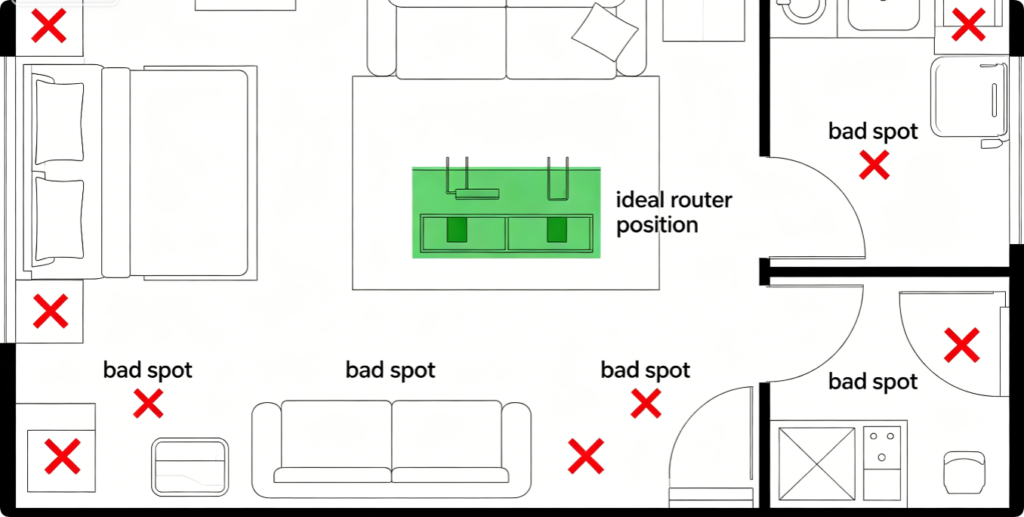
For compact single-level apartments under 90 square meters:
- Ideal location: Open central living room shelf or TV stand, right between the bedroom and kitchen
- Avoid: Balcony corners, inside bathroom cabinets, behind the refrigerator, narrow hallway ends Extra tip: If the apartment has one thick brick partition wall separating rooms, shift the router slightly toward the larger room to balance coverage on both sides. No mesh extender required with correct central placement.
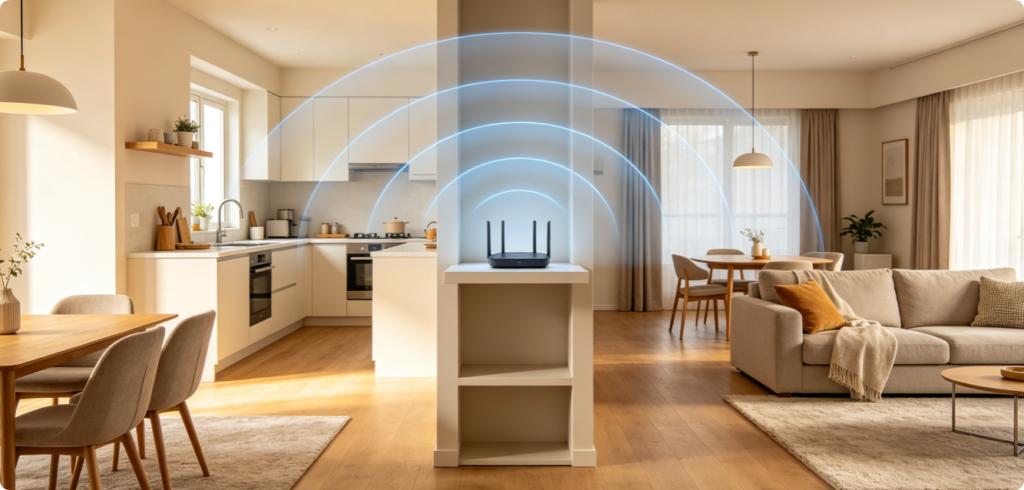
Large open layout single-floor homes feature minimal dividing walls, maximizing Wi-Fi broadcast potential:
- Install the router in the central connecting hallway linking all main living zones
- Elevate it above sofa and dining furniture to bypass low furniture signal barriers
- If the house has a separate home office at one end, tilt external antennas slightly toward that wing for boosted remote work signal
- Keep far from the kitchen microwave zone to stop constant 2.4GHz interference during cooking hours
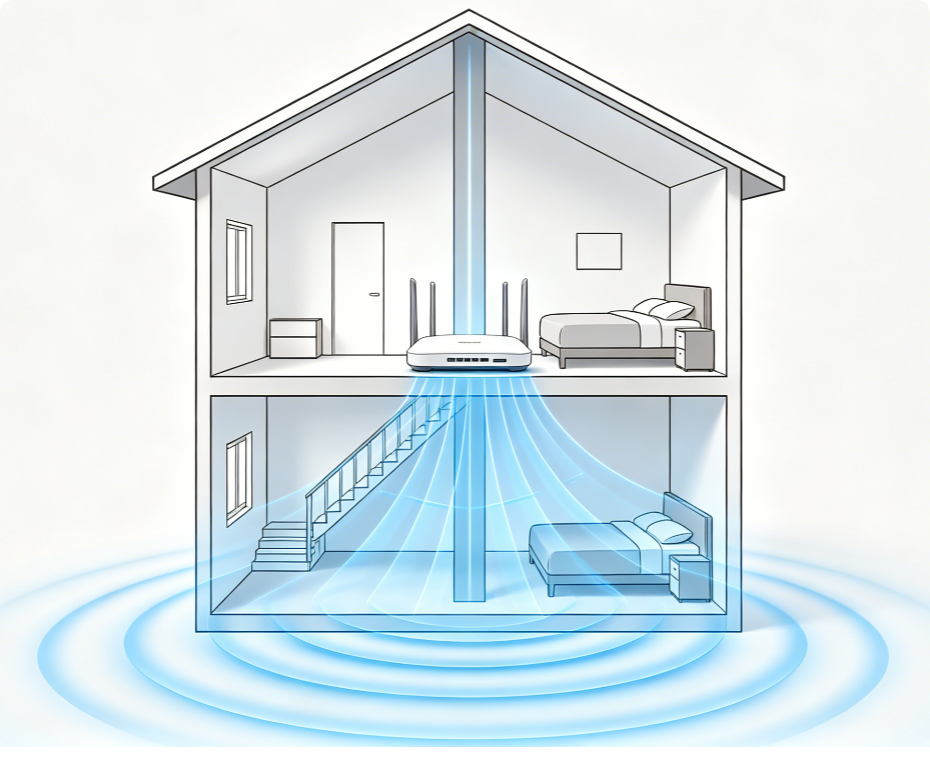
Two-story homes suffer uneven vertical signal penetration if the router sits fully upstairs or fully downstairs:
- Optimal spot: Central upstairs landing halfway between front and back bedrooms
- Reason: Wi-Fi signals travel downward more easily than upward through wooden floor joists
- Avoid ground-floor basement or garage placement: Thick concrete foundation walls block signals from reaching the second floor Complementary tweak: Adjust one antenna angled slightly downward to strengthen ground-floor bedroom and living room reception.
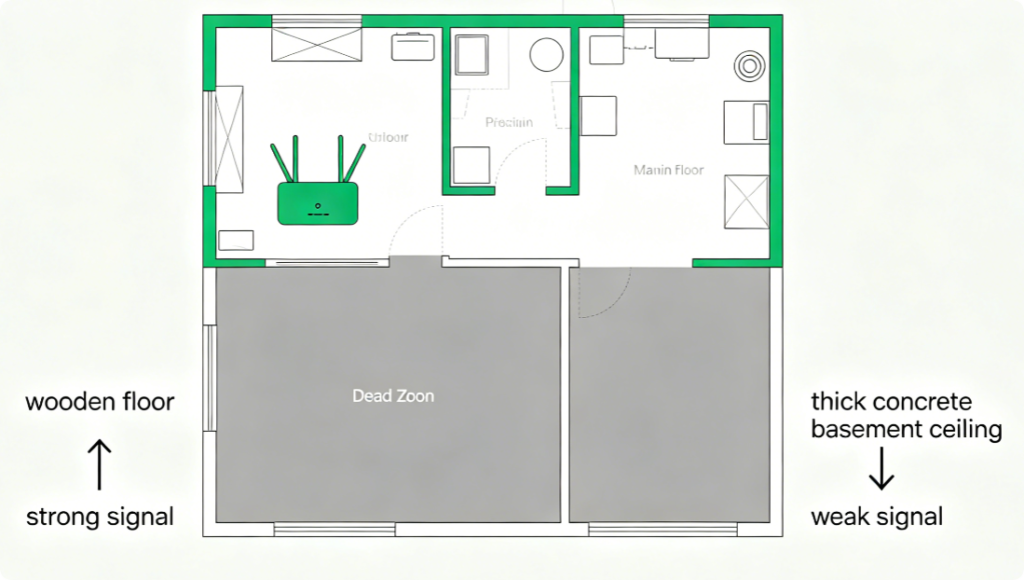
Basements are the hardest area to cover due to reinforced concrete ceilings:
- Primary router stays on the main floor central landing, directly above basement stairs
- If basement signal remains weak, add a cheap Wi-Fi extender plugged into the wall closest to basement stairs
- Never mount the main router inside the basement itself: Concrete walls trap signals underground and eliminate upstairs coverage
- Clear all heavy storage boxes away from the floor space directly above the basement to reduce signal blockage
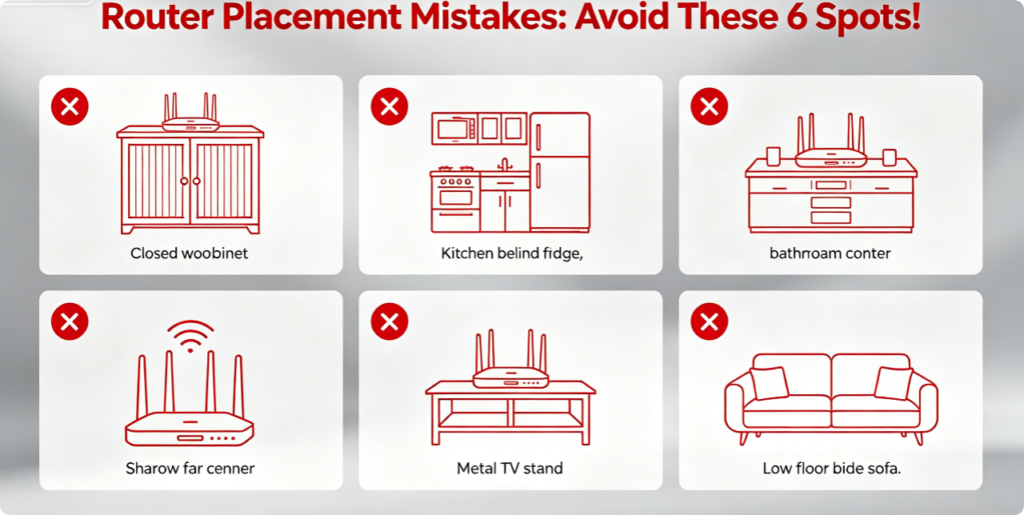
These locations guarantee weak Wi-Fi and persistent dead zones:
- Far room corners: Signals only cover one small section of the house, opposite rooms lose all reception
- Inside closed cabinets/entertainment units: Wooden walls trap heat and block 5GHz Wi-Fi waves
- Directly behind refrigerators, washing machines or microwaves
- Low on the floor beneath coffee tables, blocked by sofas and rugs
- Bathroom countertops: Water vapor and tiled walls severely dampen wireless signals
- Outdoor balconies or garages: Thick exterior walls prevent indoor signal spread
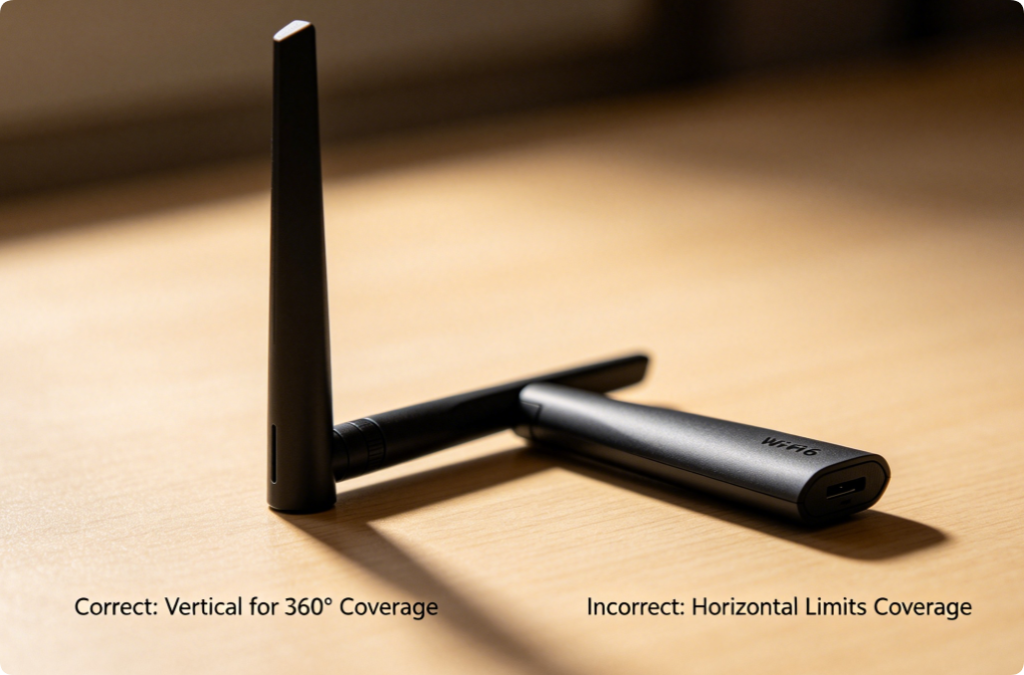
Most users ignore antenna positioning, which drastically changes coverage range:
- Default best setting: All four antennas fully straight vertical for uniform 360-degree signal spread
- Targeted boost tweak: If one side of the house always has weak signal, tilt 1–2 antennas slightly toward that wing
- Never lay all antennas flat horizontally: This creates narrow directional coverage and leaves half your home with slow Wi-Fi For internal hidden antenna routers (wall plug mesh units), simply mount the device vertically upright on wall sockets.
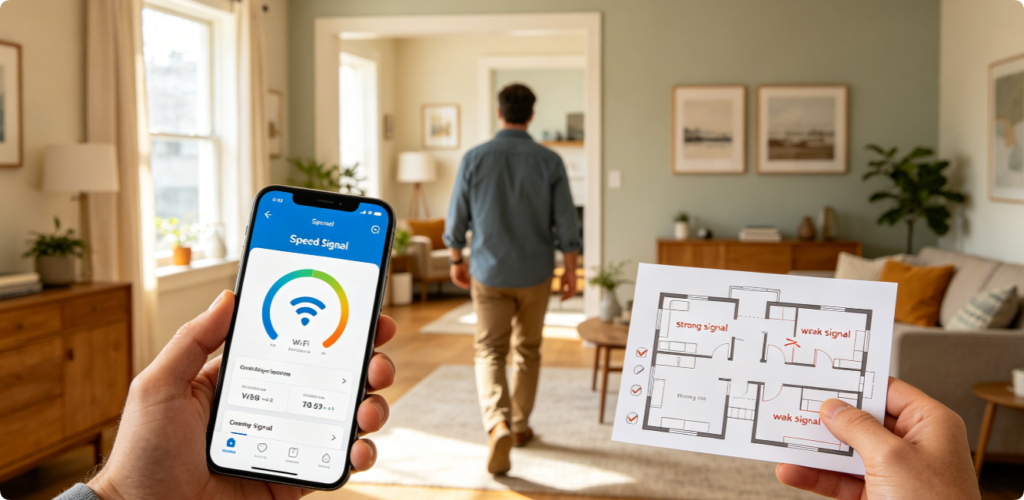
After moving your router to the ideal central spot, verify full home coverage with this simple test routine:
- Walk into every bedroom, bathroom, basement, dining room and backyard
- Check mobile Wi-Fi signal bar strength and run quick internet speed tests in each zone
- Mark any remaining dead signal corners for optional Wi-Fi extender placement
- If multiple rooms still show low 5GHz signal, re-elevate the router shelf height or shift it closer to the house center
If full Wi-Fi coverage still cannot be achieved after perfect placement, apply these supplementary fixes:
- Re-scan and switch to low-interference manual Wi-Fi channels to eliminate neighbor signal overlap
- Raise router transmit power to High in router wireless settings
- Remove metal shelving, large fish tanks or thick storage walls blocking central signal paths
- Update router firmware to the latest official version for improved signal transmission algorithms
- Add a TP-Link OneMesh extender only if thick concrete walls split your house into completely separate zones
Conclusion
Optimizing router placement is the most cost-effective way to eliminate Wi-Fi dead zones and achieve full-house wireless coverage without extra networking hardware. Stick to the core rules: central house positioning, elevated mounting height, vertical antenna alignment, and distance from signal-blocking metal appliances and thick walls. Adjust your router’s exact location based on your unique home layout — single-story apartment, open-concept house, two-story residence or basement-equipped property. When paired with proper channel and transmit power settings, ideal router positioning delivers stable, full-speed Wi-Fi signal to every corner of your living space.